
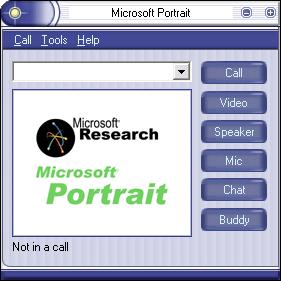
Microsoft Portrait is very low bit rate video conferencing software supporting MSN Messenger and Internet Locator Service (ILS) on PCs, Pocket PCs and Handheld PCs. It runs on local area networks, dialup networks and even wireless networks with bandwidths as low as 9.6 kilobits/second. Microsoft Portrait delivers portrait-like black/white video which can work in bandwidths so low that full color video could never work. The portrait video is so small that it can even be transmitted through an HTTP proxy as text. Microsoft Portrait provides basic chat/voice/video functions almost anytime, anywhere, on any device.
Microsoft Portrait
Version 3.1 Beta for Pocket PC has been released. It is for devices running Microsoft Windows Mobile 5.0 with ARM series CPUs. The new release fixed some bugs in 3.0 beta, improved its performance and reduced the CPU usage in Pocket PC.
Microsoft Portrait technology is available for commercial licensing. For more information, visit Microsoft IP Licensing.

Free Download
PC Version 2.3
Free Download
Pocket PC Version 3.1 Beta (for Windows Mobile 5.0)
-
Microsoft Portrait for PC 2.3 Readme Copyright (c) 2001-2004 Microsoft Corporation
All Rights Reserved
Installing Microsoft Portrait
Please first download Windows Installer 2.0
- from http://www.microsoft.com/downloads/release.asp?ReleaseID=32831 if you use Windows 98, or Windows ME.
- from http://www.microsoft.com/downloads/release.asp?ReleaseID=32832 if you use Windows 2000, and install it to your PC. Windows XP already contains Windows Installer 2.0. The installation of PC, Pocket PC and Handheld PC versions of Microsoft Portrait needs the support of Windows Installer.
As the download database may change, if you do not find Windows Installer from the above link or you want to look for the latest version of Windows Installer, you can also go to Microsoft Download Center
Search using: Keyword Search, input Windows Installer as Keywords and select the operating system of your PC, then click Find It.
- If you use Windows 98, Windows ME, or Windows 2000, please download the latest DirectX Runtime from http://www.microsoft.com/downloads/search.aspx?displaylang=en&categoryid=2 and install it to your PC.
Windows XP already contains DirectX 8.0. Microsoft Portrait needs the support of DirectX 8.0.
- If you would like to start Microsoft Portrait from MSN Messenger, please install MSN Messenger 4.7 or above from http://messenger.msn.com/
This setup was created for Windows 98, Windows ME, Windows 2000 and Windows XP. It will copy some files to a directory you specify and place a shortcut to the Microsoft Portrait application in the Start Programs menu on your task bar.
After Microsoft Portrait installation is finished, the installation of RTC Client API v1.2 will be launched. This is for the support of Microsoft Live Communication server 2003 and other SIP servers in Microsoft Portrait.
System Requirements
Microsoft Portrait for PC is developed for Windows Operating Systems. It runs on Windows 98, and Windows ME, Windows 2000, Windows XP.
Computer Requirements
- Pentium processor, 100 megahertz (MHz) minimum
- 32MB of RAM required, 64MB recommended
- 10 MB of hard disk space
Network Connections
- TCP/IP (Winsock compliant)
- IP address (static or dynamic)
- 9.6 Kbps (minimum) modem, LAN, Cable, or ISDN connection
- PPP for dial-up connection
or
- Web proxy for Local Area Network
To Send Video:
- USB or Firewire digital camera
or
- Desktop video capture card and video camera
To Send Audio:
- Microphone or headset
- 16- bit full-duplex sound card and drivers
To Recieve Audio:
- Speakers or headphones
- 16-bit full-duplex sound card and drivers
Note
If you do not have a camera, you can still see others who do send video.
- If you want to select Mobile Voice audio codec (2.4 Kbps) in the PC version to communicate with a Pocket PC user or another PC user, please first download and install Microsoft ActiveSync 3.7 from http://www.microsoft.com/mobile/pocketpc/downloads/activesync37.asp
Microsoft ActiveSync 3.7 will install a Mobile Voice audio codec into your PC.
Please note, the installation file is a .EXE file with a size of 6,532,493 bytes. If you find either the file type or the size is incorrect, please download again or use another browser or machine to download. Please disable antivirus software or firewall while downloading & installing, otherwise you will encounter “Error 1335, CAB file corrupt”.
-
PC Version 2.3 2004-07-16
Improves the quality of the portrait-like video.
Adds an automatic image quality improvement option for full-color video.
PC Version 2.2 2004-01-01
Supports the latest version of .NET Messenger Service.
Supports Microsoft Live Communications Server 2003 and other SIP servers.
Realizes new features such as multiparty chat in Microsoft Live Communication Server 2003.
PC Version 2.1 2003-05-14
We provide video codec API in this version as requested by lots of developers. Four DirectShow filters of full-color and portrait-like video codec (MSFCEnco.ocx, MSFCDeco.ocx, MSBVEnco.ocx and MSBVDeco.ocx) can be found in the installation directory.
The quality of full-color video is improved. The working bandwidth of full-color video codec is extended to below 56 kbps. The video frame rate selection is extended to 3 and 1 fps.
Users can choose showing local video in normal or mirror manner.
Users can choose displaying remote video in double size.
Users can place a call by inputting a SIP URI directly in the address bar rather than adding a buddy to the buddy list and then selecting the buddy to call.
Users can specify SIP server’s address and port number in the form of x.x.x.x:port-no.
Users can take a picture at the size of 800×600 if the camera supports.
Users can select to automatically send video at the start of each call.
Chat in Chinese is supported 🙂
PC Version 2.0 2002-11-20
Take a Picture and Send function is added. When you click the shutter button, a picture is token and saved in a JPEG file with its name specified at Tools->Options->Picture menu. If you take the picture during a connection to your partner, you will be asked whether to send the picture after you close the picture window.
Larger image sizes such as 320×240 and 352×288 are supported. This not only improves visual experience, but also let the program support firewire cameras and Camcorders that only output video in large image sizes.
Connecting to public SIP servers such as iptel is supported. This enables business applications of the program. Please go to Tools->Options->Accounts to configure and refer to these SIP servers instructions for details.
Now the program is compatible with Windows Messenger 4.7 and MSN Messenger 5.0 (but not MSN Messenger on Windows XP).
Send a File function is added. On the Tools menu, click Send a File…, select a file to send. The file will be sent after your partner accepts.
A new skin is applied. Now our program is compatible with the latest ActiveSkin version 4.25. You can find more skins at its web site.
PC Version 1.6 2002-09-12
Microsoft Portrait enables two-way full-color video conferencing on PCs, Pocket PCs and Handheld PCs. This means with Microsoft Portrait, a Pocket PC or Handheld PC can not only receive and display full-color video, but also capture and send full-color video in real-time.
PC Version 1.5 2002-08-08
Microsoft Portrait now supports .NET Messenger Service and Session Initiation Protocol (SIP). You can chat or call with Microsoft Portrait users or MSN Messenger users after you sign in .NET Messenger Service or Communications Service.
Please refer to Q&A 21 for details on how Microsoft Portrait inter-operates with MSN Messenger.
PC Version 1.1 2002-03-08
Basic video colors have been added to the original black and white portrait video. Now a portrait video can look like a watercolor and still keep a low bitrate. Please check the “Plus watercolor” box in Tools->Options->Video menu to enable watercolor effects.
PC Version 1.08 2002-01-01
Portrait video comes with more gray scales and its visual quality is improved. We extend portrait video from bi-level video (1 bit/pixel) to four-level video (2 bits/pixel). The software can automatically determine when to transmit bi-level, tri-level or four-level video according to available bandwidth.
PC Version 1.07 2001-12-03
Microsoft Portrait now supports Internet Locator Service (ILS). This makes dialup users able to use video conferencing through ILS due to Microsoft Portrat’s low bitrate property. On the “Call” menu of Microsoft Portrait, click “Directory”, a “Find Someone” dialog box will appear. Type the name of an ILS server, a list of people on the server will occur if the server works. You can then select a people to call.
You can also input the name of an ILS server to the “Directory” bar in the “Options” menu, and click “Apply” button to log on to the server so that other people can find you at that ILS server.
Some bugs are fixed, refer to Q&A 14 and 15 for more information.
PC Version 1.06 2001-11-16
Microsoft Portrait now supports MSN Messenger. In addition to previous direct IP call, You have two methods to initiate a call. (1) You can click the “Buddy” button in the main window of Microsoft Portrait to show a buddy list, which is gotten from your MSN Messenger, then select a buddy to call. (2) You can also select a buddy in the buddy list of your MSN Messenger 4.5 if you installed, then select Start Microsoft Portrait from its Actions menu or right click popup menu. We recommend to use the first method because (1) it is more reliable; (2) even if your buddy has not installed Microsoft Portrait, you can still invite him/her via this method so that he/she can receive a message in an MSN Messenger window, which shows him/her you are inviting him/her and where to download Microsoft Portrait. After your buddy installs Microsoft Portrait, he/she can accept your call.
If you want to place a call from a PC to a Pocket PC 2002, please use the first method or direct IP call.
We suggest you manage your buddy list using MSN Messenger and enjoy bandwidth adaptive voice and video, which work on almost any networks, and secure chat, which is directly transmitted between your machine and your buddy’s machine, via Microsoft Portrait. After you established a connection on Microsoft Portrait through MSN Messenger with your buddy, you can keep text/voice/video communication even if MSN Messenger is broken. In addition, next time you can directly press the “Call” button besides the IP address bar to call if your buddy’s IP address has not changed. We believe the integration of Microsoft Portrait and MSN Messenger will largely facilitate your communications.
PC Version 1.05 2001-10-30
Both black/white and full-color videos are provided for communication between two PCs. Please refer to Readme for information on installation. Users can select “Black/white video only”, “Full-color video only” or “Switch between black/white and full-color according to bandwidth” in Tools->Options->Video menu. We recommend you to select “Black/white video only” if you use a 9.6, 14.4, 28.8, 33.6 or 56 Kbps modem connection. We recommend you to select “Full-color video only” if you use a cable, xDSL, ISDN, or LAN connection. You can select “Switch between black/white and full-color according to bandwidth” if your available bandwidth is around 56-128 Kbps. Please note currently our Pocket PC version does not support full-color video. If a user with PC version 1.05 connects to another user with previous PC or Pocket PC versions, the video will be forced in black/white mode.
PC Version 1.04 2001-09-24
A voice discontinuity bug was fixed.
PC Version 1.03 2001-09-01
When a call succeeds, the user name corresponding to the IP address is retrieved and displayed behind the IP address. This makes it easy to identify contactors in the IP history list.
An “Auto” item was added to the video bandwidth list of compression setting. If a user selects “Auto” in the video bandwidth list, the output bit rate of the video can be automatically adjusted to the available bandwidth in real-time.
The delay of talk in using Mobile Voice audio codec was reduced as short as that in using GSM 6.10 audio codec.
PC Version 1.02 2001-08-18
By modifying some parts of the architecture, we further reduced the delay in talks. Now it is at normal level.
The bug that only diagonal lines are displayed in remote windows when users set the display mode of their PCs to 24 bits was fixed.
PC Version 1.01 2001-08-07
We significantly reduced the delay in talks.
-
Microsoft Portrait for Pocket PC, Handheld PC and Smartphone 2.3 Readme
Copyright (c) 2001-2004 Microsoft Corporation All Rights Reserved
Installing Microsoft Portrait
Please first download Windows Installer 2.0
from http://www.microsoft.com/downloads/release.asp?ReleaseID=32831
if you are using Windows 98, or Windows ME,
from http://www.microsoft.com/downloads/release.asp?ReleaseID=32832
if you are using Windows 2000, and install it to your PC. The installation of PC, Pocket PC and Handheld PC versions of Microsoft Portrait needs the support of Windows Installer.
As the download database may change, if you do not find Windows Installer from the above link or you want to look for the latest version of Windows Installer, you can also go to Microsoft Download Center
http://www.microsoft.com/downloads/search.asp?
Search using: Keyword Search, input Windows Installer as Keywords and select the operating system of your PC, then click Find It.
Please download Microsoft ActiveSync 3.7 from
http://www.microsoft.com/mobile/pocketpc/downloads/activesync37.asp
and install it to your PC. After the installation process in your PC is completed, Microsoft ActiveSync 3.7 will synchronize Microsoft Portrait for Pocket PC and Handheld PC to your Pocket PC or Handheld PC.
To install Microsoft Portrait into a Smartphone, please take the following steps. After the installation process in your PC is completed, please find a file named portraitSP.ARM.CAB in your PC’s installation directory (the default directory is C:\Program Files\Microsoft ActiveSync\Microsoft Portrait), and copy it directly into your Smartphone (such as directory \Windows\Start Menu), and then run the .CAB file from the program menu in your Smartphone. If an error occurs, “Installation failed. The program cannot be installed because it does not have the adequate system permissions”, you then try to extract a .exe file and two .dll files from the .CAB file and put these three files in a directory in your Smartphone, then run the .exe file to launch Microsoft Portrait. Please note some Smartphones without certification free may not be able to install such applications. If you want to unlock your Smartphone to install these applications, you may consider to update software or manually unlock http://msmobiles.com/article.php/20.html.
A special way to test Microsoft Portrait on your Smartphone is that you establish a communication between Microsoft Portrait on your Smartphone and Microsoft Portrait on your PC as follows. You use a USB cable to connect your Smartphone to your PC and make Activesync active. You check the “Use a HTTP proxy server” box in Tools->Proxy settings in Microsoft Portrait on your Smartphone, input the IP address of your PC to the proxy address, and input 8100 as the port number of the proxy. After that, you input the IP address of your PC to the address bar of Microsoft Portrait on your Smartphone to call. Please note the above settings are only suitable to USB cable connection between your Smartphone and your PC.
If you use GPRS or CDMA on your Pocket PC or Smartphone, please note Microsoft Portrait currently cannot automatically invoke dialing up to GPRS or CDMA network. Please run Internet Explorer first, which can invoke your GPRS or CDMA connection, then go to Microsoft Portrait to place a call or sign in to .NET Messenger Service.
Please note as we know, there is usually a firewall in GPRS or CDMA network. If you want to establish a communication between a GPRS or CDMA device and a machine in the public domain of the Internet, you must place the call from the GPRS or CDMA device. Please refer to Q&A 22 for details.
Version 1.2 or above enables two-way video conferencing on Pocket PCs and Handheld PCs with an HP Jornada pocket camera and a network connection for the first time in the world. This means with Microsoft Portrait, a Pocket PC or Handheld PC can not only display received video, but also capture and send video in real-time. If you use HP Jornada 500 Series Pocket PCs, you need only install the driver according to its instructions. If you use other Pocket PCs or Handheld PCs, you need take the following additional steps:
Once the installation of HP Jornada pocket camera driver is complete on your PC, you can take the CAB file (camhpc.HPC_ARM.CAB, camhpc.HPC_SH3.CAB, camppc.PPC_ARM.CAB, or camppc.PPC_SH3.CAB according to your device) from its directory (such as \Documents and Settings\user\Local Settings\Temp\hp pocket camera\) and copy it directly onto any directory in your Pocket PC or handheld PC, then run the CAB file in your Pocket PC or Handheld PC.
If you see an “alert” icon (yellow triangle with an exclamation point inside), just click “OK”.
Please note while HP Jornada pocket camera also works with Microsoft Portrait on other Pocket PCs via the above installation, the accompanying software of HP Jornada pocket camera is still not able to work on other Pocket PCs.
If you use Pocket PCs (such as iPAQs) without an embedded network connection, you may need a dual-slot expansion pack (such as HP iPAQ Dual-Slot PC Card Expansion Pack) for the installation of both the HP Jornada pocket camera and a network or phone card. If you can use the infrared port or bluetooth of a Pocket PC to connect to a mobile phone, you can save one slot.
If users who have an iPAQ, an HP Jornada pocket camera and an HP iPAQ Dual-Slot PC Card Expansion Pack want to get a wireless card to insert into the second slot of the Expansion Pack, please find a wireless compact flash card. Yes, the slot is for PC card, but wireless PC card is usually too thick to be inserted into the second slot of the expansion pack when the first slot has already been occupied by an HP Jornada pocket camera. A compact flash card to PC card adaptor is also needed in this case.
Version 2.21 or above supports Lifeview FlyCAM-CF camera, FlyJacket iCAM, Pretec CompactCamera and Intermec 6651 built-in camera, HP Photosmart Mobile Camera and Hitachi G1000 Pocket PC Phone Built-In Camera, Veo Traveler for Pocket PC Camera, Eten P300 Pocket Phone Built-in Camera in addition to HP Jornada Pocket Camera. Please follow these cameras installation instructions. No additional steps are needed for running Microsoft Portrait.
To install, or re-install, Microsoft Portrait for Pocket PC and Handheld PC, execute the installation file in your PC, to which your Pocket PC or Handheld PC links.
The installation process will copy some files to a directory in your Pocket PC or Handheld PC and place a shortcut in the Start Programs menu of your Pocket PC or Handheld PC.
System Requirements
- Microsoft Portrait is developed for Microsoft Pocket PC operating System or above and Microsoft Handheld PC 2000 operating system.
Computer Requirements
- StrongARM SA11XX processor, or Hitachi SH3 processor, or MIPS R4XXX processor.
- 1 MB of memory space
Network Connections
- TCP/IP (Winsock compliant)
- IP address (static or dynamic)
- 9.6 Kbps (minimum) modem, LAN, Cable, or ISDN connection
- PPP for dial-up connection
or
- Web proxy for Local Area Network
Note
If you do not have a camera, you can still see others who do send video.
Please do not connect your Pocket PC or Handheld PC to the USB port of your PC when you place a call. The Pocket PC or Handheld PC needs to connect to the network independently via e.g. a wireless LAN card, a compactflash ethernet card or a compactflash modem.
As we have tested, Mobile Voice audio codec does not exist in Microsoft Pocket PC 2002 (previously called Merlin) operating system and Microsoft Handheld PC 2000 operating system. Please do not select Mobile Voice audio codec in Tools->Options->Audio menu if you use these operating systems in your Pocket PC or Handheld PC.
Please note, the installation file is a .EXE file with a size of 4,102,625 bytes. If you find either the file type or the size is incorrect, please download again or use another browser or machine to download. Please disable antivirus software or firewall while downloading & installing, otherwise you will encounter “Error 1335, CAB file corrupt”.
-
Microsoft Portrait for Pocket PC 3.1 Beta Readme
Copyright (c) 2001-2007 Microsoft Corporation All Rights Reserved
Installing Microsoft Portrait
Please first download Windows Installer 2.0
from http://www.microsoft.com/downloads/release.asp?ReleaseID=32831
if you are using Windows 98, or Windows ME;
Or from http://www.microsoft.com/downloads/release.asp?ReleaseID=32832
if you are using Windows 2000, and install it to your PC. The installation of PC, Pocket PC and Handheld PC versions of Microsoft Portrait needs the support of Windows Installer.
As the download database may change, if you do not find Windows Installer from the above link or you want to look for the latest version of Windows Installer, you can also go to Microsoft Download Center
http://www.microsoft.com/downloads/search.asp?
Search using: Keyword Search, input Windows Installer as Keywords and select the operating system of your PC, then click Find It!
Please download Microsoft ActiveSync 4.5 from
http://www.microsoft.com/windowsmobile/activesync/activesync45.mspx
and install it to your PC. After the installation process in your PC is completed, Microsoft ActiveSync 4.5 will synchronize Microsoft Portrait for Pocket PC to your Pocket PC.
Version 1.2 or above enables two-way video conferencing on Pocket PCs with built-in or plug-in camera and a network connection for the first time in the world. This means with Microsoft Portrait, a Pocket PC can not only display received video, but also capture and send video in real-time.
To install, or re-install, Microsoft Portrait for Pocket PC and Handheld PC, execute the installation file in your PC, to which your Pocket PC or Handheld PC links.
The installation process will copy some files to a directory in your Pocket PC and place a shortcut in the Start Programs menu of your Pocket PC or Handheld PC.
System Requirements
Microsoft Portrait is developed for Microsoft Mobile 5.0 for Pocket PC operating System.
Computer Requirements
- ARM series processor
- 1 MB of memory space
Network Connections
- TCP/IP (Winsock compliant)
- IP address (static or dynamic)
- 9.6 Kbps (minimum) modem, LAN, Cable, or ISDN connection
- PPP for dial-up connection
or
- Web proxy for Local Area Network
Note
If you do not have a camera, you can still see others who do send video.
Please do not connect your Pocket PC to the USB port of your PC when you place a call. The Pocket PC needs to connect to the network independently via e.g. a wireless LAN card, a compactflash ethernet card or a compactflash modem.
As we have tested, Mobile Voice audio codec does not exist in Microsoft Pocket PC 2002 (previously called Merlin) operating system and above. Please do not select Mobile Voice audio codec in Tools->Options->Audio menu if you use these operating systems in your Pocket PC.
Please note, the installation file is a .MSI file with a size of 978,432 bytes (about 954K). If you find either the file type or the size is incorrect, please download again or use another browser or machine to download. Please disable antivirus software or firewall while downloading & installing, otherwise you will encounter “Error 1335, CAB file corrupt”.
Microsoft Portrait is a research prototype for mobile video communication. It supports .NET Messenger Service, Session Initiation Protocol and Internet Locator Service on PCs, Pocket PCs, Handheld PCs and Smartphone. It runs on local area networks, dialup networks and even wireless networks with bandwidths as low as 9.6 kilobits/second. Microsoft Portrait delivers portrait-like video if users are in low bandwidths and displays full-color video if users are in broadband. In low bandwidths, portrait video possesses clearer shape, smoother motion, shorter latency and much cheaper computational cost than do conventional video technologies. Microsoft Portrait pursues providing presence notification, chat/voice/video functions anytime, anywhere, on any device.
-
Technology Introduction
Video communications on mobile devices over wireless networks call for low bit-rate video coding technologies. Although conventional video processing and coding technologies such as MPEG1/2/4 and H.261/263 can also code video for very low bit rates, the resultant images usually look like a collection of color blocks and the motion in the scene becomes discontinuous. The block artifacts of these methods originate from the common architecture of MPEG1/2/4 and H.261/263, i.e. discrete cosine transform (DCT) based coding. In general, DCT-based coding groups pixels into blocks, e.g. 8×8 or 16×16 pixels blocks. These blocks are transformed from the spatial domain into a set of DCT coefficients of the frequency domain. Each of these coefficients is a weight associated with its corresponding DCT basis waveform. These coefficients are then quantized, and nonzero quantized values are compressed using an entropy coder. As a result, the low spatial frequency values that represent the “basic colors” of the blocks possess high priority. Thus, if DCT-based compression methods work at limited bandwidths, the basic colors of blocks will be kept in preference.
While the above schemes would not present a problem in situations of broad bandwidths, this is not the case when video is transmitted through a very low bandwidth network and the outline features of scenes are more important than basic colors of blocks. For example, in video communications, facial expressions that are represented by the motions of the outlines of the face, eyes, eyebrows and mouth deliver more information than the basic colors of the face. Since the representation of outlines needs only two types of colors, we developed a video form in which each pixel is represented by only 1 bit. We call it bi-level video (or portrait video in general). No matter how much the video can be further compressed, this is a significant step in bit-rate reduction. Tests showed that surprisingly it was very easy to identify a person in a bi-level image that was generated from a gray-scale image using a thresholding method, and it was also very easy to perceive the facial expressions of the person in a bi-level image sequence. By analyzing the temporal correlation between successive frames and flexibilities in the scene presentation using bi-level images, we achieved very high ratios in bi-level video compression. Experiments show that in low bandwidths, bi-level video provides clearer shape, smoother motion, shorter initial latency and much cheaper computational cost than do DCT-based technologies. Based on bi-level video, we further extend portrait video to tri-level, four-level and multiple level videos. If more bandwidths are available, more gray scale levels are coded and transmitted therefore portrait video always delivers the most important information in a video for a given bandwidth. Portrait video technology is especially suitable for small mobile devices such as handheld PCs, palm-size PCs and mobile phones that possess small display screens and light computational power, and work in wireless networks with limited bandwidths. Since 20-40 Kbps bandwidth is the bandwidth that 2.5G wireless networks such as GPRS and CDMA 1X can stably provide although the theoretical bandwidths of GPRS and CDMA 1X are up to 115 Kbps and 153.6 Kbps respectively, portrait video fits into this situation.
For more information, please refer to:
Jiang Li, Gang Chen, Jizheng Xu, Yong Wang, Hanning Zhou, Keman Yu, King To Ng and Heung-Yeung Shum, “Bi-level Video: Video Communications at Very Low Bit Rates,” ACM Multimedia Conference 2001, Sep. 30 – Oct. 5, Ottawa, Ontario, Canada, pages 392 – 400.
Jiang Li, Keman Yu, Gang Chen, Yong Wang, Hanning Zhou, Jizheng Xu, King To Ng, Kaibo Wang, Lijie Wang and Heung-Yeung Shum, “Portrait Video Phone,” ACM Multimedia Conference 2001, Sep. 30 – Oct. 5, Ottawa, Ontario, Canada, pages 597 – 598.
Keman Yu, Jiang Li, and Shipeng Li, “Bi-level/full-color Video Combination for Ubiquitous Video Communication,” IEEE International Symposium on Circuits and Systems, May 26 – 29, Scottsdale, Arizona, pages 245 – 248.
Jiang Li, Keman Yu, Tielin He, Yunfeng Lin, Shipeng Li, and Ya-Qin Zhang, Scalable Portrait Video for Mobile Video Communication, IEEE Transactions on Circuits and Systems for Video Technology, Volume: 13, Issue: 5, pages: 376 – 384, May 2003, ISSN: 1051-8215.
Keman Yu, Jiang Li, Jizheng Xu, and Shipeng Li, “Very Low Bit Rate Watercolor Video,” IEEE International Symposium on Circuits and Systems (ISCAS) 2003, May 25-29, Bangkok, Thailand, pages 712 – 715.
Keman Yu, Jiangbo Lv, Jiang Li and Shipeng Li, “Practical Real-time Video Codec for Mobile Devices,” IEEE International Conference on Multimedia & Expo (ICME) 2003, July 6-9, Baltimore, Maryland, pages 509-512.
Keman Yu, Jiang Li, Tielin He, Yunfeng Lin, Jiangbo Lv and Shipeng Li, “Microsoft Portrait: A Real-time Mobile Video Communication System,” IEEE International Conference on Multimedia & Expo (ICME) 2003, July 6-9, Baltimore, Maryland, demonstration III-2.
-
2004-06-24 Tom’s Hardware Guide: Portrait: Video Communication On All Levels
2004-06-01 The World’s Hottest Computer Lab
2004-01-09 PocketPCs: Small, smart, and coming on strong
2003-06-09 Chinese Computer World
2003-03-17 Tom.com Tech
2002-12-27 InstantMessagingPLANET
2002-12-18 ActiveWin
2002-11-25 Windows Forest
2002-10-07 Masternewmedia
2002-09-15 Microsoft Portrait
2002-09-15 Watching TV on iPAQ
2002-04-05 Mobileviews
2001-12-22 BigBlueBall.com Review
2001-10-15 Microsoft Portrait: realizes video communication on wireless Pocket PC–Weizhong Li
2001-08-13 Microsoft Portrait – program pre prenos obrazu v GSM–Mato Saladi
2001-08-08 Microsoft Portrait enables wireless video–Leonard Fischer
-
2007-05-24
Q: How can I install Portrait 3.1 beta using the package of Portrait_PPC_3.1_beta.msi?
A: Please firstly install Microsoft ActiveSync4.x(4.2 or above) for Windows 2000 or XP, or Windows Mobile Device Center for Vista, then execute Portrait_PPC_3.1_beta.msi on your PC after connecting your pocket pc with the PC using its USB cradle.
2007-01-29
Q: How should I install Portrait 3.0 beta using the package of Portrait2005_PPC_beta.msi?
A: Please firstly install Microsoft ActiveSync, then execute Portrait2005_PPC_beta.msi on your PC after connecting your pocket pc with the PC using its USB cradle.
2007-01-04
Q: The orientation of the video picture on some Pocket PCs is incorrect.
A: On some Pocket PC devices the video picture is flipped vertically. This is compatibility issue. Camera drivers on some Pocket PC devices do not process the captured picture correctly.
2007-01-04
Q: Does Portrait 3.0 Beta (for Windows Mobile 5.0) support landscape screen orientation?
A: Portrait 3.0 Beta currently only supports portrait screen orientation. We will support landscape screen orientation in feature versions.
2005-12-01
Q: When I use Portrait 2.3 to communicate with other public SIP server, I can only register in the SIP server but cannot make call by the standard SIP make call syntax. Why?
A: SIP is not fully supported by Portrait since it is just a research prototype for mobile video communication. SIP module in Portrait just assists users to discover one another.
2005-11-15
Q: I have the pocket pc HP HX4700 and i have downloaded Microsoft Portrait 2.3 in the pocket pc. When i started to use it, the HP Image Zone don’t want to work again. Why?
A: It seems that the old camera driver that Portrait installs may conflict with the new camera driver of your pocket pc. This existing bug prevent the built-in camera of HP HX4700/rx3xxx/rx6xxx from working. You have to uninstall Portrait to resolve the problem. We will try to fix the bug in future versions.
2005-11-10 updated 2007-01-04
Q: I’m using Portrait 2.3 on my brand new MDA Pro PocketPC (Windows Mobile 5.0). Do your already support the built-in camera’s of this model?
A: The new released Portrait 3.0 Beta for PocketPC supports Windows Mobile 5.0 and supports the bulit-in camera.
2005-09-15 updated 2007-01-04
Q: Does Portrait 2.3 support the built-in cameras of HTC devices, such as O2, i-mate, Q-TEK, Dopod, etc?
A: The new released Portrait 3.0 Beta for PocketPC supports all bulit-in and plug-in cameras.
2003-05-14
Q: Can Microsoft Portrait work via a CDMA connection?
A: Microsoft Portrait works very well via a CDMA connection. CDMA 2000 1X has sufficient bandwidth for two-way video communication. You can build a CDMA video phone using a Pocket PC, a dual-slot PC card expansion pack, a HP Jornada pocket camera and a CDMA PCMCIA card. You can use it to dialup and connect to the Internet then place calls to any other machine with Microsoft Portrait. Please note, since there may be a firewall in your CDMA network, you must place the calls from your CDMA Pocket PC to other machines.
2002-11-21
Q: Why does the picture freeze after about 4 seconds of moving video when I check Capture video menu of Microsoft Portrait on an iPAQ 3970 with a HP Jornada pocket camera?
A: Yes, this problem exists when Microsoft Portrait runs on an iPAQ 3970 with a HP Jornada camera. For iPAQ 36xx with a HP Jornada camera, no such problem exists. This is because the current driver of HP Jornada pocket camera is not compatible with iPAQ 3970.
2002-09-24
Q: How can I connect my GPRS Pocket PC Phone with a PC on the Internet?
A: As we known, there is usually a firewall in GPRS network. In order to successfully place a voice/video call, you must call the IP address of the PC in public ISP from your GPRS Pocket PC Phone. If you have signed in .NET Messenger Service and want to call your buddy through .NET Messenger Service, then you should initiate a call from the PC side since this actually sends the IP address of the PC to your GPRS Pocket PC Phone and your Pocket PC Phone will call the PC with the received IP address. Please note, if there is also a firewall in the PC side, then no voice/video call can be completed. Please refer to “How to communicate through a firewall?” in the FAQ part of User’s Guide for more information.
2002-08-08
Q: How does Microsoft Portrait inter-operate with MSN Messenger?
A: Microsoft Portrait can seamlessly inter-operate with MSN Messenger in chat. For voice/video calls, please refer to the tables.
2002-06-17 Updated 2007-01-04
Q: Does Microsoft Portrait work with other cameras such as Lifeview FlyJacket, Pretec CompactCamera or Nexian NexiCAM?
A: The new released Portrait 3.0 Beta for PocketPC supports supports all bulit-in and plug-in cameras.
2002-01-12 updated 2002-09-12
Q: I receive an error of “Cannot add video coder”, then an error of “Failed to build video capture branch” when I use full-color video in Microsoft Portrait 1.05, but my camera works well with other video programs. Any idea?
A: This problem has been solved since version 1.6. The following answer was for versions earlier than version 1.6:
You may not have installed wmtools.exe. Please download wmtools.exe from http://www.microsoft.com/technet/prodtechnol/Netshow/downloads/wmtools.mspx and install it to your PC. The full-color function in Microsoft Portrait needs the support of Windows Media Tools. A few users reported that a “Failed to run capture graph” message occurred and the full-color function still did not work even if wmtools.exe had been installed. The reason is that our program relies on DirectShow architecture and uses a publicly available full color video codec MPEG4 V2, but this codec does not support DirectShow architecture very well in some machines. Please select black/white video plus watercolor in the Tools->Options->Video menu or use traditional full-color video conferencing software if you have a broadband connection.
Please note you no longer need to install wmtools.exe since version 1.6.
2001-12-03
Q: After I input the name of an ILS server to the “Find Someone” dialog box, an error message appears “There was a problem connecting to the directory server. You may not be connected to the network, or the server may be busy.” I am sure that the server usually works and I have a direct Internet connection. What’s the problem?
A: As Microsoft Portrait is new very low bitrate video conferencing software to users, some ILS servers that you want to browse may not contain any Microsoft Portrait user. This causes the above error message. In order to avoid the error message and identify the situation, you can first log on to that server by inputting the name of the server to the “Directory” bar in the “options” menu and clicking “Apply” button. If the server works, you can see yourself in the server.
2001-12-03
Q: I can browse web through a proxy of my company’s network, but when I try to log on to an ILS server, an error message appears “Logon failed, maybe your email address is already registered in the ILS server by other user.” Why?
A: ILS servers cannot be accessed through a network proxy. Please either use a direct Internet connection to access ILS servers or place a call using the method introduced in Q&A 16.
2001-11-16
Q: I am behind a firewall of my company’s network and my friend connects to the Internet via a public ISP. We can chat via MSN Messenger, but cannot make a voice call. When I initiate a call on Microsoft Portrait via MSN Messenger, I fail to connect with my friend, even chat function in Microsoft Portrait cannot work. How can I do?
A: Usually you and your friend are required to connect to the Internet all via public ISPs or to be all in the same local area network if you want to initiate a call on Microsoft Portrait via MSN Messenger. If one of you is behind a firewall, the one who is behind the firewall should properly configure his/her proxy settings in Tools->Options->Network menu. Please refer to “How to communicate through a firewall?” in the FAQ part of User’s Guide for details. After that the one who connects to a public ISP should initiate a call from the buddy list in Microsoft Portrait. The one who is behind the firewall then accepts the call by click the IP address in a popped up MSN Messenger Window, that is equivalent to initiating a direct IP call behind the firewall as described in the above FAQ part.
2001-11-16 updated 2001-12-03
Q: I use Windows XP operating system. When a remote friend calls me via starting Microsoft Portrait in his MSN Messenger 4.5, after I accept his call, an error message box is popped up. How can I do?
A: This problem has been solved since version 1.07.
For version 1.06 or below, the error message occurs at Windows operating systems that installed DirectX 8.1. Windows XP already contains DirectX 8.1. Microsoft Portrait can work normally if you keep the error message open. If you close the error message box, Microsoft Portrait will exit. So you need only move the error message box aside, and do not close it until you finish the call. The error message does not occur at DirectX 8.0 or 8.0a. If your remote friend calls you from the buddy list in Microsoft Portrait, the error will not occur no matter which version of DirectX is installed.
2001-11-16 updated 2001-12-03
Q: I use Windows 98 operating system. When I click the Buddy button in the main window of Microsoft Portrait while my MSN Messenger has signed out, I cannot see buddies in Microsoft Portrait buddy window. How can I do?
A: This problem has been solved since version 1.07.
For version 1.06 or below, if you use Windows 98 operating system, please first make your MSN Messenger sign in, then you can get your buddies in Microsoft Portrait. For Windows 2000 and XP, no such requirement.
2001-11-14
Q: I have a webcam connected to my PC. When I check the box in Video button to enable video, a message “Cannot connect video capture to video encoder” appears. How can I do?
A: This problem has been solved since version 1.07.
In version 1.06 or earlier, our program requires the output of your camera to be 24 bit color (RGB24). However the output of some cameras may only be in YUV color space.
2001-10-10
Q: I am living in Europe. I have a GSM mobile phone connection (9.6 Kbps). How can I configure the settings of Microsoft Portrait so that I can get best quality?
A: If you are using a GSM mobile phone connection for video communication between a PC and a Pocket PC, in the PC side, please set audio codec to Mobile Voice (2.4 Kbps), Image size to 128×96, Frame rate to 5 fps, Video bandwidth to 4.8 Kbps, Keyframe interval to 5 seconds; in the Pocket PC side, please set audio codec to Mobile Voice (2.4 Kbps). If you are using a GSM mobile phone connection for voice communication between two Pocket PCs, please set both sides with Mobile Voice (2.4 Kbps) audio codec or simply exit Microsoft Portrait and make a direct phone call:-)
2001-10-09
Q: I am living in North America. I have a CDPD connection (19.2 Kbps). How can I configure the settings of Microsoft Portrait so that I can get best quality?
A: If you are using a CDPD connection for video communication between a PC and a Pocket PC, in the PC side, please set audio codec to Mobile Voice (2.4 Kbps), Image size to 128×96, Frame rate to 10 or 5 fps, Video bandwidth to 9.6 or 4.8 Kbps, Keyframe interval to 3 or 5 seconds; in the Pocket PC side, please set audio codec to Mobile Voice (2.4 Kbps). If you are using a CDPD connection for voice communication bewteen two Pocket PCs, you can set one side with GSM 6.10 (13 Kbps) audio codec and the other side with Mobile Voice (2.4 Kbps) audio codec or both sides with Mobile Voice (2.4 Kbps) audio codec. Please note if you use Pocket PC 2002, you have to use GSM 6.10 for audio.
2001-08-07
Q: I installed a PC version to my Windows NT 4.0 desktop PC, but I cannot start the program. I got message “Failed To Create GraphBuilder”.
A: The problem is caused by Windows NT 4.0 platform. Our software uses DirectShow architecture, but the native Windows NT 4.0 operating system does not support it. As we have tested, even after DirectX Media 6 is installed to Windows NT 4.0 platform, our software still cannot run on it.
2001-08-07 updated 2007-01-04
Q: What cameras can be used in Pocket PCs?
A: The new released Portrait 3.0 Beta for PocketPC supports all bulit-in and plug-in cameras.
2001-08-07
Q: When I try to call my desktop PC from my iPAQ PocketPC, I get the error that my desktop is not able to accept calls. This happens even when I set my desktop to accept calls automatically. I tried with both my desktop’s IP & name.
A: Two possible causes: (a) You may connect your iPAQ to the USB port of your desktop PC (see Q&A 1); (b) You may check the proxy setting box in Tools->Options->Network menu but you do not place a call to a user outside a firewall.
2001-08-04
Q: How can we design the skins of the PC version or get additional skins?
A: We used a user interface development tool of Softshape company to develop our PC version. You can get design tools or additional skins from http://www.softshape.com/activeskin/
2001-08-02
Q: I installed the PC version to my Windows 95 desktop PC. When I checked the video box, a message “Failed to create Graphbuilder” popped up.
A: The problem is caused by Windows 95 platform. Our software uses DirectShow architecture, but the native Windows 95 operating system does not support it. You should first install DirectX Runtime from http://www.microsoft.com/downloads/search.aspx?displaylang=en&categoryid=2 and IE 4.0 or above at http://www.microsoft.com/windows/ie/
2001-08-01
Q: Will you ever be developed a version for palm size PC running Windows CE 2.11?
A: We are sorry to say that due to the limitations in computational power and audio driver of the palm size PC with Windows CE 2.11, we have not considered to develop a version for it yet.
2001-08-01
Q: I installed the PC version to two desktop PCs A and B. However, after they are connected, I only see diagonal lines in PC A while the images in both remote and local windows of PC B are correct. What’s wrong with it?
A: This is a bug in our PC version 1.01. It occurs when users set the display mode of their PCs to 24 bits. It does not affect local windows, but it does affect remote windows. This bug has been fixed since PC version 1.02.
2001-07-31 updated 2002-11-21
Q:Do your Pocket PC versions support full-duplex?
A: Full-duplex audio has been supported on iPAQ since version 1.04. In previous versions, Our Pocket PC program could not open recording device when the playing device was running and vice versa. So you could only press the “Talk” button to talk and release the “Talk” button to listen.
Please note, full-duplex can only be enabled on iPAQ with Pocket PC 2000 operating system.
2001-07-31 updated 2001-09-01
Q: I have downloaded the Pocket PC version. When I unzip it, it became a .cab file which extracted to several files but without a setup file or any .exe files. Would you please advise how to do that?
A: We have provided standard installation files that start installation from your PC since version 1.03. For previous version, the solution was that you copied the .cab file to a directory in your Pocket PC. Double click the .cab file in your Pocket PC to run it. It will install the software in your Pocket PC and put an icon to the Start menu.
2001-07-29
Q: I installed Microsoft Portrait in my desktop PC and iPAQ. I could originate a call from my iPAQ to my PC. However, I could not transmit or receive any sounds between the two even when pressing the “Talk” button. My desktop PC has a static IP address. My iPAQ is connected directly to the PC via a USB connection.
A: The talk cannot be completed between a Pocket PC and a PC if the Pocket PC is synchronizing with the PC via a USB connection. You have to make the iPAQ separate and possess an independent IP address. You can either use a CompactFlash Ethernet card or a wireless LAN card to connect the iPAQ to a local area network or use a CompactFlash modem card to connect the iPAQ to a dialup network.
-
- You can place a call either from the buddy list of Microsoft Portrait or from the Action menu of MSN Messenger after you install Microsoft Portrait.
- You can also browse in an ILS server and select a people to call. * Even if your buddy has not installed Microsoft Portrait, you can still invite him/her from the buddy list of Microsoft Portrait so that he/she can receive a message in an MSN Messenger window, which shows him/her you are inviting him/her and where to download Microsoft Portrait. After your buddy installs Microsoft Portrait, he/she can accept your call.
- If you do not have a camera, you can still see others who do send video, or talk with others in robust voice working at bandwidth as low as 2.4 Kbps.
- You can use any of your PCs, Pocket PCs, Handheld PCs or Smartphones to call.
- You can place a call even behind a firewall.
- If you are a modem dialup user, now you can also conveniently see and talk with others.
- Please adjust the slide of the “Video” button to achieve better visual quality if you select to use black/white video.
- If you have a PC with a camera and a Pocket PC, you can use them to constitute a surveillance system. You can call your PC in your home or office using your Pocket PC anytime on the road.Please send your feedback or bug reports here.
People

Qingwei Lin 林庆维
Partner Research Manager